CRM + PBX Integration Explained
Your phone system knows who's calling and for how long. Your CRM knows who they are. Integration is making them one system.
What PBX integration actually means
A PBX (your phone system — hosted, on-prem, or cloud) emits events: ringing, answered, ended, recorded. CRM integration consumes those events and joins them to client records. Concretely:
- Screen-pop: an inbound call looks up the number and opens the household before you pick up.
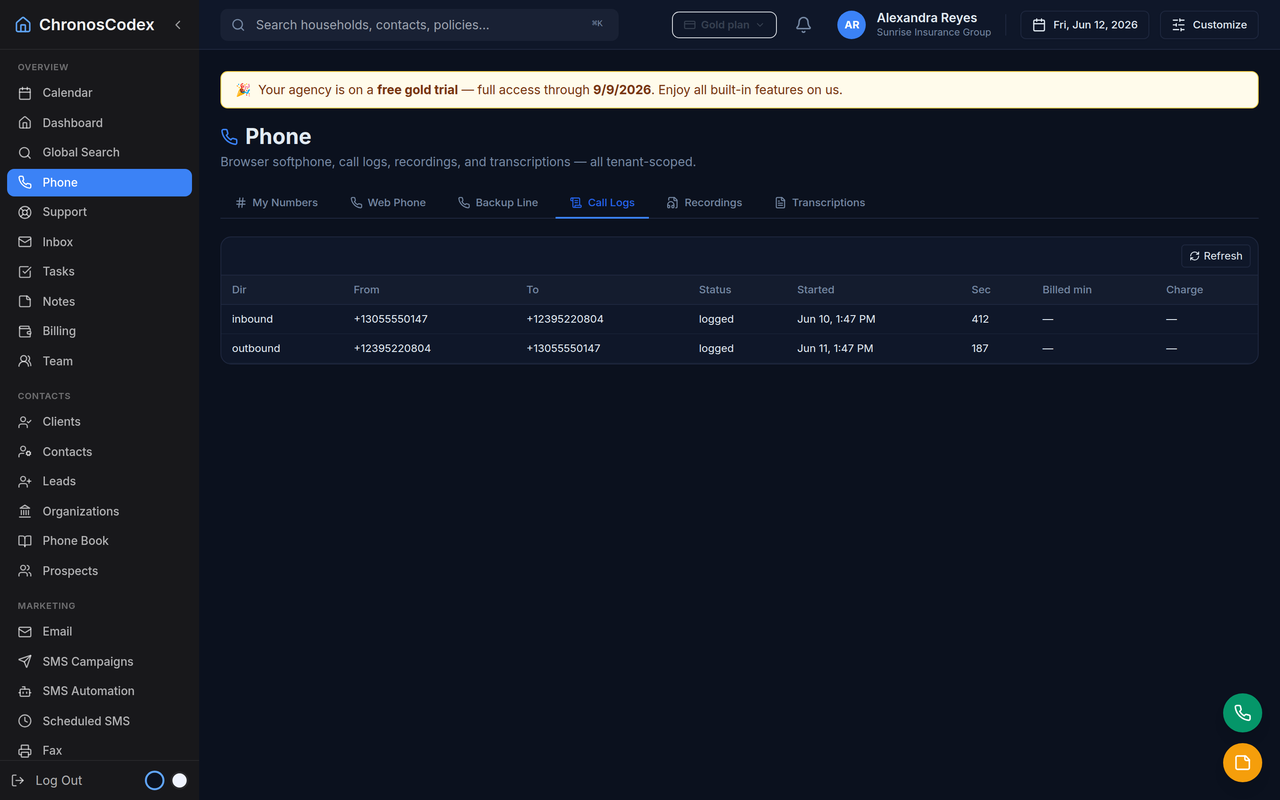
- Automatic call logging: direction, duration, and disposition land on the timeline with no typing.
- Recording link-up: recordings attach to the household and feed transcription/summaries.
- Click-to-call: any number in the CRM dials from your line — softphone in the browser or your desk phone.
- Minutes metering: usage per line, visible where the team works.
Why it matters for insurance specifically
Phone is still the trust channel for enrollments and renewals. An integrated stack means the renewal call history, the texts, and the policy data are one record — so any team member can pick up a conversation mid-stream, and disputes ("you never called me") are settled by the timeline.
Build vs buy
Wiring a generic CRM to a PBX is a real integration project: webhooks, middleware, edge cases, and maintenance. ChronosCodex ships with telephony integrated — browser softphone, call logs with recordings and AI summaries on the household, and per-line usage — because it was built alongside a working agency's phone system rather than integrated after the fact.
ChronosCodex brings these workflows into one CRM. SMS/email automation, voice and PBX integration are built in, with availability and usage pricing varying by plan; the AI workflows described on this page are not all available to every workspace today. Explore ChronosCodex or log in if you already have a workspace.
Automation usage still needs clear limits: SMS automation uses SMS segments, voice automation uses billable minutes, and email workflows count against outbound email allowance. Wallet credits, add-ons, or plan upgrades can support heavier usage once provider readiness and consent requirements are met.